AI & automation / Buyer’s guide
Change the Prop. Keep the Approved Shot.
Google’s Omni 1.2 Flash can revise short video clips. Learn how to brief a targeted edit, protect approved details and decide when to use a conventional cut.
The short answer
On November 5, Google released Gemini Omni 1.2 Flash with longer clips and conversational revision. Treat each edit as a candidate cut, not an amendment to the approved master. Name the one thing that should change, the facts that must not, and the person who can approve the result. This is a documentary analysis; we did not run the model.
Discuss your project ↗
Our take
A director says “change the prop.” The product specification must also say which details are not up for negotiation.
In this article
01 / 06
One small note on an approved clip
Imagine a lamp maker has signed off a short tutorial: a hand turns the switch clockwise and an indicator comes on. The editor likes the framing but wants to replace the notebook beside the lamp with a plain one. No one has asked to redesign the switch, move the light or change when the indicator appears.
That example is illustrative. It separates two very different commissions. Generating a fresh mood film allows the scene to wander; revising an approved tutorial means the customer is buying one change while relying on everything else. A convincing new clip can be a poor revision.
02 / 06
What changed on November 5
Google announced general availability of Gemini Omni 1.2 Flash on the Gemini API and Google Cloud on November 5, 2026. Compared with 1.1, Google describes a rise in maximum clip duration from ten to fifteen seconds and better adherence to visual references. An editor can give a follow-up instruction on a clip instead of restating the whole scene. Those are vendor-documented capabilities, not a guarantee that other pixels, object shapes or timing stay fixed.
The Cloud release describes a draft-then-upscale workflow. That is useful for choosing a candidate before spending effort on a delivery render. It does not make an approved low-resolution draft sufficient evidence that small product markings survive in the delivered file.
Android Authority covered the release on November 5. That is evidence of attention to the update, not independent proof of fidelity. We have not benchmarked the model or measured cost per accepted clip.
03 / 06
Keep two assets, not one mutable “latest”
In a product brief, give the approved cut a permanent identity. The revision request should identify that cut, the target prop, where it appears and which properties may change. Preserve the source asset separately; a conversation history is not the approval record.
For the lamp example, let the notebook change, including its shadow if necessary. Protect the lamp’s geometry, switch direction, indicator timing, camera motion and narration. Do not demand pixel identity of the whole frame while asking for a different object and shadow. Name the boundaries an editor can actually assess.
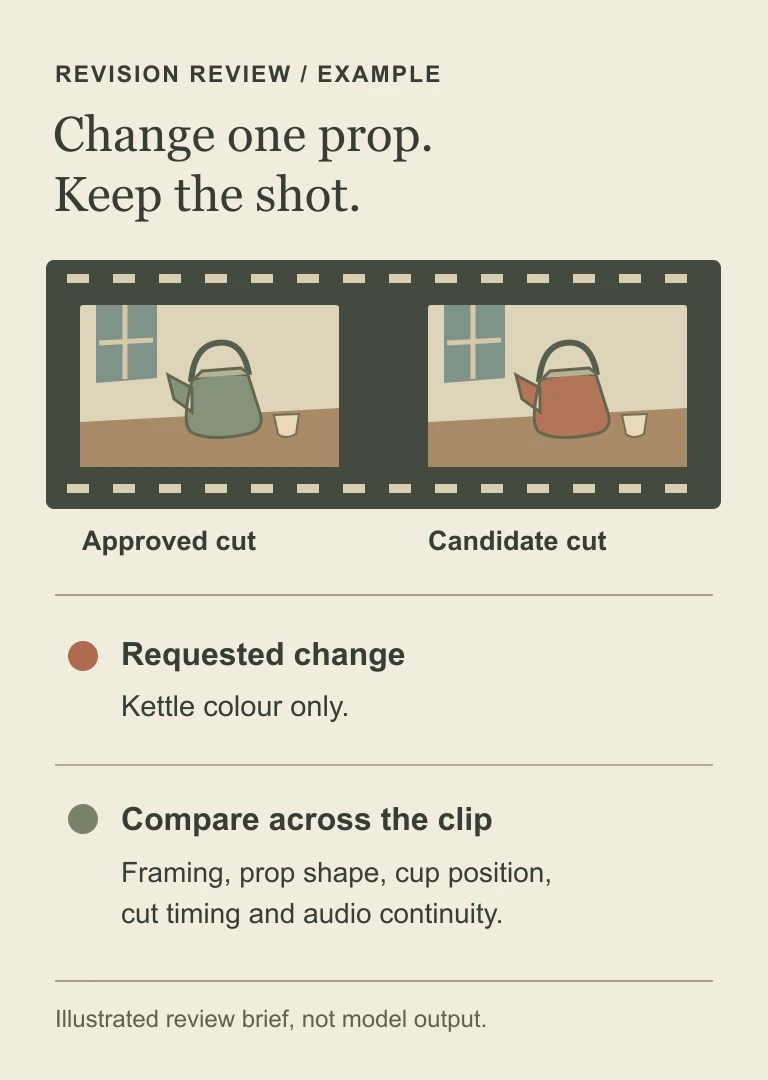
If the second edit fixes the notebook but reverses the switch, reject that candidate. Branch again from the approved cut or move the job into a conventional editor. Continuing from the newest attempt by default turns yesterday’s unnoticed mistake into today’s reference.
04 / 06
Which edit can your integration actually request?
Before promising “upload any existing clip,” verify the surface, the origin of the clip and the user’s region. The Gemini API guide distinguishes editing an uploaded video from editing one generated by the model. At this review, editing uploaded video through that API is unavailable to users in the EEA, Switzerland and the UK; the restriction does not apply in the same way to model-generated clips.
The API documents a fifteen-second maximum for video inputs to editing. Do not promise that a buyer can upload an entire training film and revise any scene in place. Decide whether your application extracts an eligible shot, retains its timing and rejoins it in a conventional timeline. Otherwise make the limit visible before upload.
The same API guide excludes uploaded audio references and voice editing. A model that outputs sound does not necessarily accept a voice sample or support a requested change to speech. If your workflow depends on a specific voice, use an authorised, supported audio workflow and review the final mix separately.
05 / 06
Review the edit like a change to a product claim
Ask the supplier to keep the approved master, input references, revision instruction, candidate file and decision together. The aim is not to keep every abandoned experiment forever; agree retention, asset rights and who may see unpublished material.
| Decision | Evidence to require |
|---|---|
| Requested change | Compare the notebook wherever it appears, including reflections and partial occlusion. A corrected opening frame is not enough. |
| Protected product fact | Check switch direction and indicator timing through the action. Pause on legible marks, then watch the whole cut at normal speed. |
| Protected sound | Listen to narration and its timing against the action. A visual approval alone is not audio approval. |
| Delivery version | Review the actual final crop and resolution. Keep a route back to the approved master if the candidate fails. |
When the label must display an exact part number, a tracked graphic or overlay may be easier to verify. When the shot demonstrates a safety-critical operation, use verified footage of the operation and keep generative treatment away from the instructional fact. The interesting choice is where to spend creative freedom, not whether to automate every frame.
06 / 06
What to commission first
Start with one authorised reference, one approved clip and one narrowly defined change. Ask the team to include an unsuccessful candidate in its demonstration: can the editor explain why it fails, recover the approved master and prevent the rejected file from reaching the publishing queue?
For a useful pilot, record attempts per approved edit and the editor’s review time alongside output quality. A lower generation price says nothing on its own about the cost of a finished, approved asset. Do not promise a savings figure before measuring the customer’s own workflow.
If you are commissioning an AI-assisted editorial tool, bring the approved shot and one genuine revision instruction to the project brief, or email hello@axiomforge.am. Leave confidential reference assets out of that first enquiry.
Sources and editorial scope
This is Axiom Forge’s procurement and product-delivery guidance, not a guaranteed project plan. The example is illustrative. Sources checked on 6 Nov 2026.
- Google Cloud — Omni 1.2 Flash general availability — Release date, clip duration and editing workflow; consistency improvements are vendor claims.
- Gemini API — Omni video guide — Current API-specific input, editing and regional boundaries.
- Google DeepMind — model card — Model scope, distribution and limitations. No hands-on result is asserted.
- Android Authority — release coverage — Independent coverage dated November 5; used for interest rather than technical verification.